

Prerequisites
- An active MAIster account.
- Project catalog-management permission for project-scoped authoring actions.
- A Ready ACP runner if you want to use the AI authoring assistant.
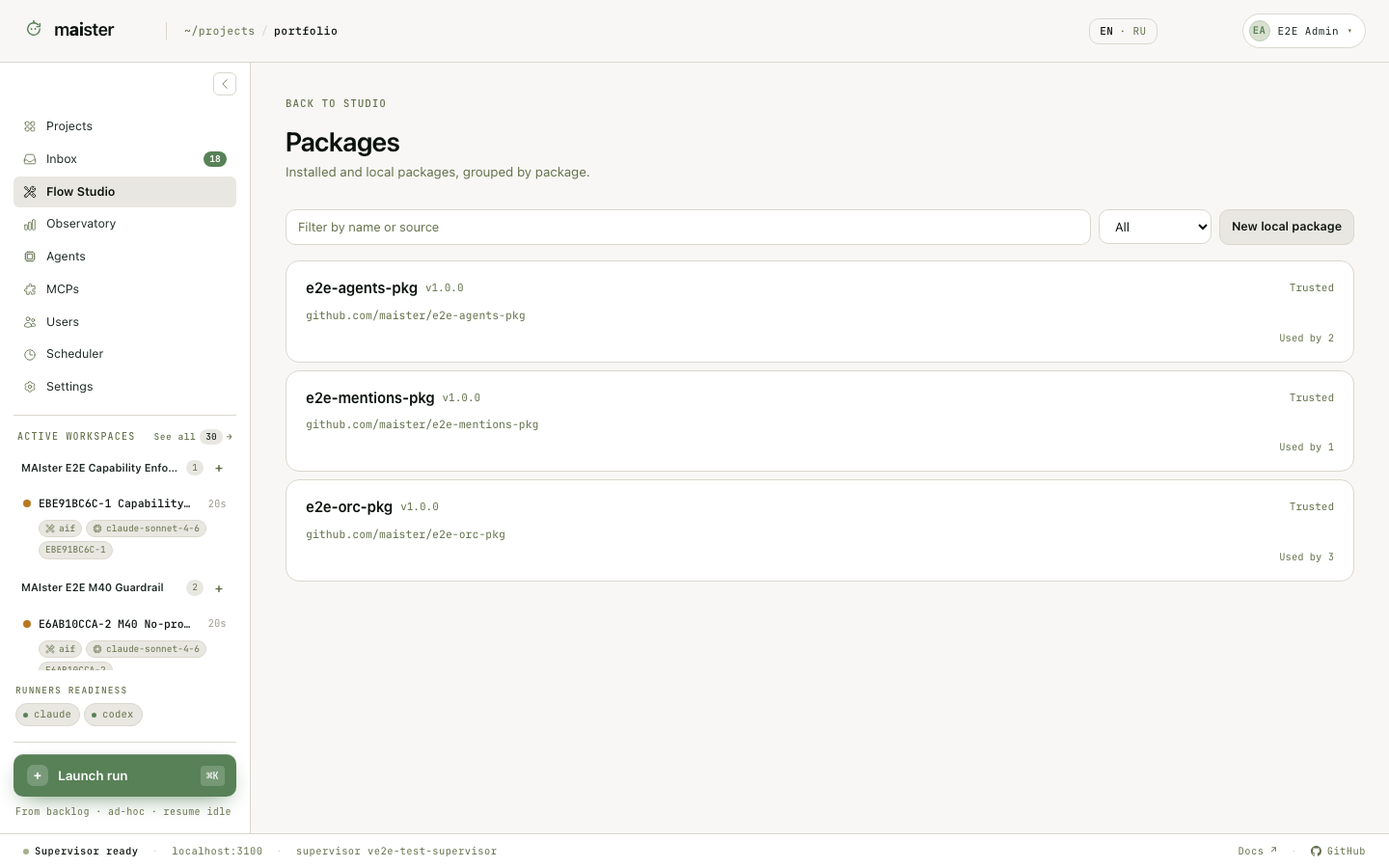
Understand the three package states
Installed content is never edited in place. Choose Fork to edit on a whole
package or supported element. MAIster copies the selected content into a new
local package and preserves lineage to the source revision.
Work with a local package
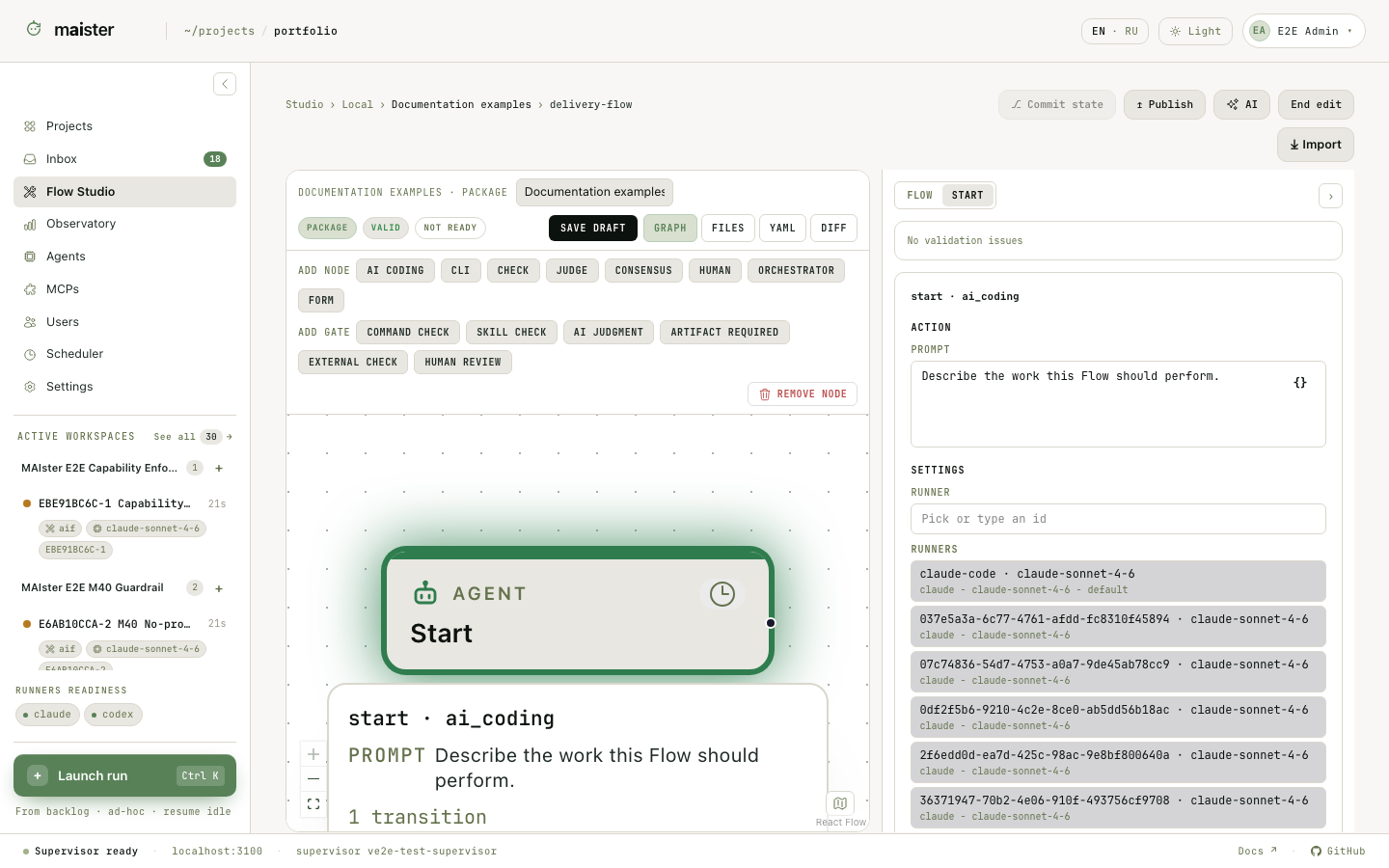 The editor combines several views over the same draft:
- a graph canvas for nodes and outcome transitions;
- typed node, gate, decision, and runner controls;
flow.yamlwith completion and live graph regeneration;- a package tree with forms for known frontmatter;
- editors for skills, agents, rules, scripts, and schemas;
- validation issues and the git diff of the local working copy.
Use the AI authoring assistant
Open the AI assistant beside a local Flow to ask about the package or request a guarded edit. The short version of its safety model is below. Open the assistant drawer from a local package. It can answer questions about the current package or propose a bounded edit. The assistant receives a server-built snapshot of the package inventory, hashes, Flow graph, and current editor focus. Its ACP workspace is read-only. For an edit, it returns a structured action that names paths, base hashes, and new content. MAIster validates the complete action and applies it atomically. This boundary matters:- the assistant cannot write package files directly;
- a stale base hash rejects the whole action instead of overwriting a newer edit;
- unsafe paths, invalid YAML, invalid frontmatter, invalid schemas, or an uncompilable graph are rejected before any file changes;
- the resulting diff remains visible for human review and normal git history.
Save, commit, cut, and attach
- Save a valid draft.
- Review the package diff.
- Commit the local package.
- Create an immutable cut from the selected commit.
- Attach that cut from Project → Packages.
- Review executable content and explicitly trust the installed revision.
- Bind its runner slots and MCP requirements before launching a task.
Compare and synchronize a fork
For a local package with upstream lineage, Compare with upstream shows the file-level divergence from the selected source revision. Synchronization uses a three-way merge between the fork base, current local content, and the new upstream revision. Resolve conflicts in the local package, validate, and commit the result. MAIster never force-overwrites fork history. Publishing a local package back to a registered source creates a normal branch and pull request when the source host is configured. It does not mutate the upstream default branch directly.Failure signals
- Save refused: fix blocking graph, YAML, schema, path, or frontmatter errors.
- Installed bundle unavailable: metadata and stored graph may remain visible, but fork and file inspection require the package bytes on the host.
- Assistant action stale: refresh package context and ask again; another edit changed one of its base hashes.
- Executable content untrusted: inspect the cut and grant trust explicitly.
- Attachment collision: rename the fork’s package, commit, and create a new cut.
Next steps
- Register your own repository in Package sources and versions.
- Choose Flow node types.
- Use the AI assistant in Flow Studio.
- Pass data with structured results and Run context.
- Configure MCP bindings.
- Compare process outcomes in Evaluation Lab.