

Prerequisites
- The repository is registered as a project.
- You have at least the project
viewerrole.
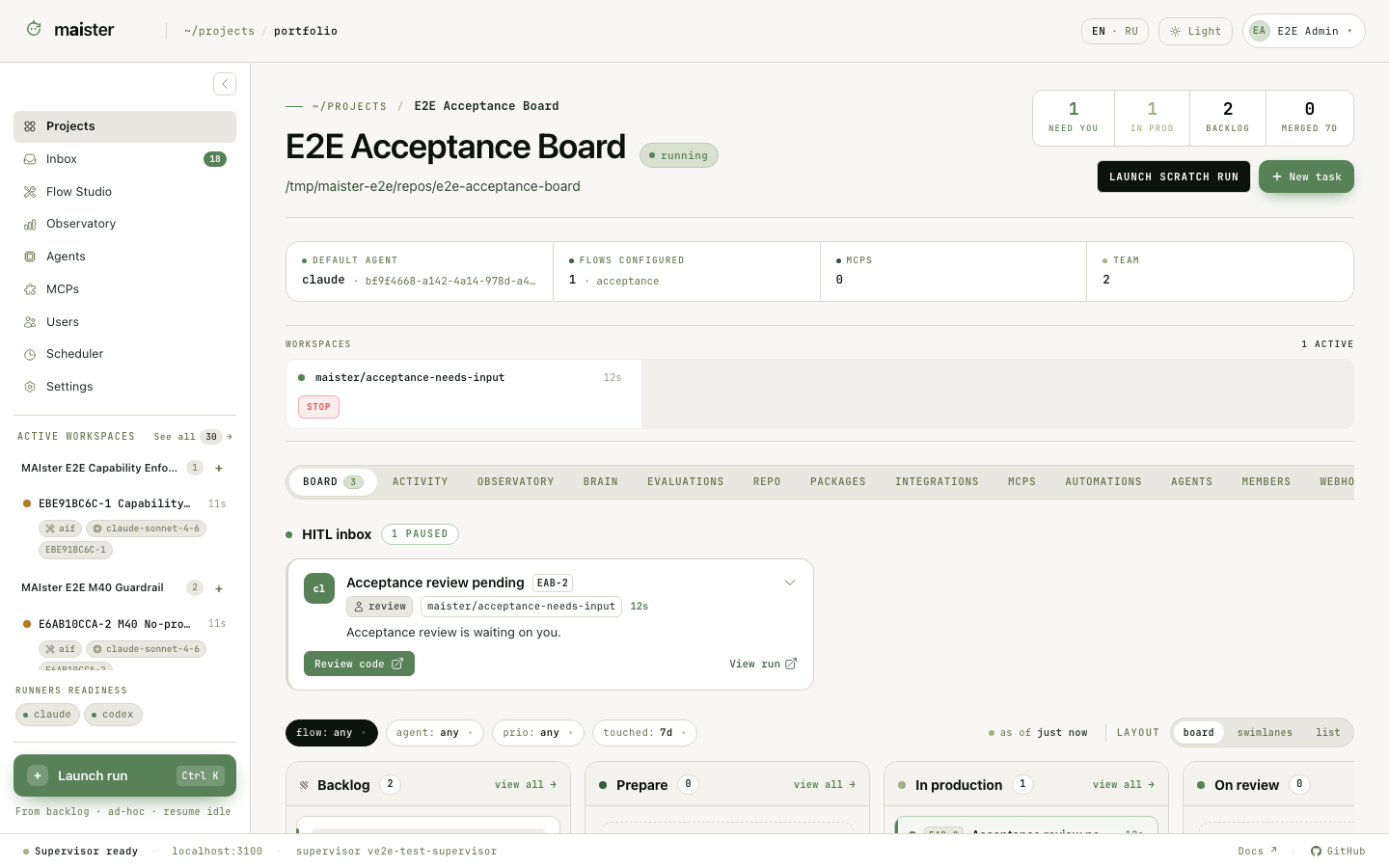
Project tabs
The tab row scrolls horizontally on narrow screens. Some tabs open dedicated URLs so their filters and selected objects can be linked directly.A practical setup order
For a new project, configure the tabs in this order:- Confirm the repository and default branch in Repository and Settings.
- Attach a trusted package in Packages.
- Resolve package MCP requirements in MCPs.
- Set project defaults and attach required agents in Agents.
- Add people in Members and external callers in Integrations.
- Create work on Board and add recurring behavior in Automations only after a manual Run has succeeded.
Packages inside a project
An attached package remains versioned. The project records which installed revision it uses and whether executable content is trusted. Open a package name to inspect its contents; open a Flow to view its graph. Use Open in Studio when you need to edit a fork rather than the immutable installed revision. A local package cut can be attached like another installation. If its package name collides with the upstream package, rename the local package in Studio, commit it, and create a new cut before attaching both.Project roles
Global administrators act as implicit owners. Adding someone to a project never
creates their platform account; create or activate that account first.
Success and failure signals
A project is ready for a governed task when it has a valid repository, at least one launchable Flow, and Ready runners for every Flow session slot. A launch remains unavailable when a package is untrusted, an MCP requirement is unresolved, a runner is unavailable, the Flow is incompatible, or a task relation blocks admission. The UI keeps the object visible and shows the reason instead of silently selecting a fallback.Next steps
- Create and follow work in Tasks and Runs.
- Find completed work in Run history and the Run workspace.
- Learn how Flow packages move through Studio.
- Configure project MCP bindings.
- Attach platform agents and schedules.