

Prerequisites
- Global
adminaccess. - The target coding-agent CLI installed on the execution host.
- Provider authentication already configured for that CLI, or provider secrets available in the supervisor process environment.
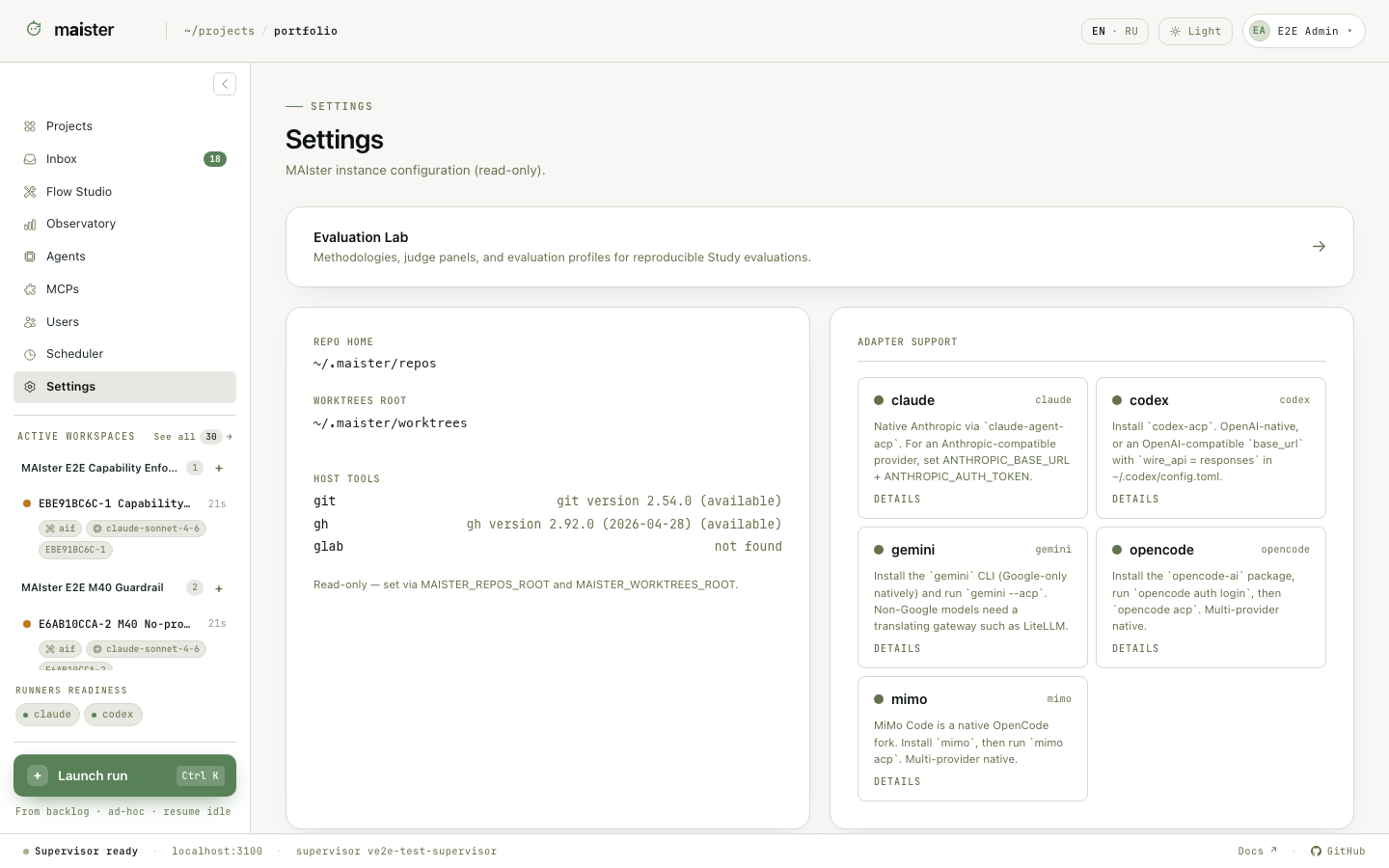
Supported adapter families
MAIster keeps Claude, Codex, Gemini, OpenCode, and MiMo in one runner catalog. Provider routing includes Anthropic, OpenAI, Google routes, agent-native routes, and compatible endpoints such as OpenRouter. Each concrete profile still has its own readiness result.Create a runner
- Open Settings → ACP runners.
- Add a runner and select its adapter family.
- Set the model and provider route.
- Put secret values in the supervisor host environment. Enter
env:NAMEin the runner field that should resolve that variable at launch. - Keep the runner disabled until diagnostics are available.
- Enable it after the row reports Ready.
- Set a platform default only if the runner is a safe fallback for normal work.
Understand readiness
Readiness combines configuration and live host diagnostics. A row can be unavailable because the binary is missing, an executable override is invalid, the provider kind is unsupported, an environment reference is absent, or an ACP initialization probe failed. Normal Ready and read-only eligibility are separate signals. Standalone agents that useworkspace: none or repo_read require a runner whose adapter
supports read-only sessions and, when required, has current read-only probe
evidence. A runner can therefore be ready for a normal Flow and still refuse a
read-only platform agent.
Configure the personal librarian
In Settings → ACP runners, open the Librarian card, select its runner, enable it, and click Save. The librarian is disabled by default and has its own selection; changing the platform default does not configure it. Open the top-nav Librarian panel and send a read-only question to verify the setup. Currently, only an enabled, Ready Claude runner with read-only capability is eligible. Permission-skipping mode and runner overrides forHOME,
CLAUDE_CONFIG_DIR, or CODEX_HOME are refused. Codex is refused specifically
for this role because denial of its built-in tools has not been verified;
read operations may bypass ACP permission requests. This does not affect its
eligibility for ordinary Flow or scratch work. Other adapter families are not
eligible for the librarian.
The MAIster MCP facade must be runnable by the supervisor, and its API URL must
reach Web. A missing facade is a setup failure. The librarian uses its restricted
MAIster toolset instead of inheriting arbitrary project MCP servers.
Disabling it stops admission of new responses. Personal history stays readable,
and already admitted operations still reconcile. See the
personal librarian guide for task creation,
confirmation cards, privacy, and memory controls.
Librarian limits
Set these variables in the Web service environment. Values must be positive integers; invalid values are configuration errors. The response pool is separate from Flow/scratch and platform-agent capacity.ACP is a two-way control channel
The supervisor does more than start a terminal command. ACP carries prompts and session events in both directions. It allows MAIster to:- surface a coding agent’s permission question to a person instead of forcing a YOLO-style session;
- send the selected permission response back to the live session;
- interrupt or stop work;
- send a corrective prompt or resume a supported session;
- stream the agent’s progress into the Run workbench.
Bind runners to Flow work
A Flow can declare named sessions and runner slots. A project resolves every slot when it connects the Flow or first launches it. The resolved runner is snapshotted in the Run, so later catalog edits do not rewrite history. Different nodes can share one session or use different sessions. This lets a Flow assign different coding agents and model price/performance levels to planning, implementation, verification, and judging. The team defines the policy once; individual contributors do not have to switch models manually for every task. Use a more capable model where complexity or evaluation warrants it, and a faster or cheaper profile for routine work. Confirm the result in Observatory and compare quality in an Evaluation Study. The launch dialog exposes every runner slot, including consensus participants and the synthesizer. Bind each unresolved slot; per-slot selections are saved automatically and remain visible when reopening the dialog. Editing project bindings requires the project administration rights shown in the dialog. The read-only Steering indicator reports observed adapter support. It does not gate launch, and the active session’s capability determines whether a message while running is steered or queued.Failure signals
EXECUTOR_UNAVAILABLE: no enabled, Ready runner satisfies the hard adapter capability or required read-only evidence.- Configuration ambiguity: several exact matches exist and the project must bind one explicitly.
- Soft intent warning: MAIster found a compatible fallback, but its model or provider differs from the Flow’s requested intent. The warning is stored on the Run without exposing secrets.