

Prerequisites
- An active MAIster account.
- Membership in at least one project, unless you are a global administrator.
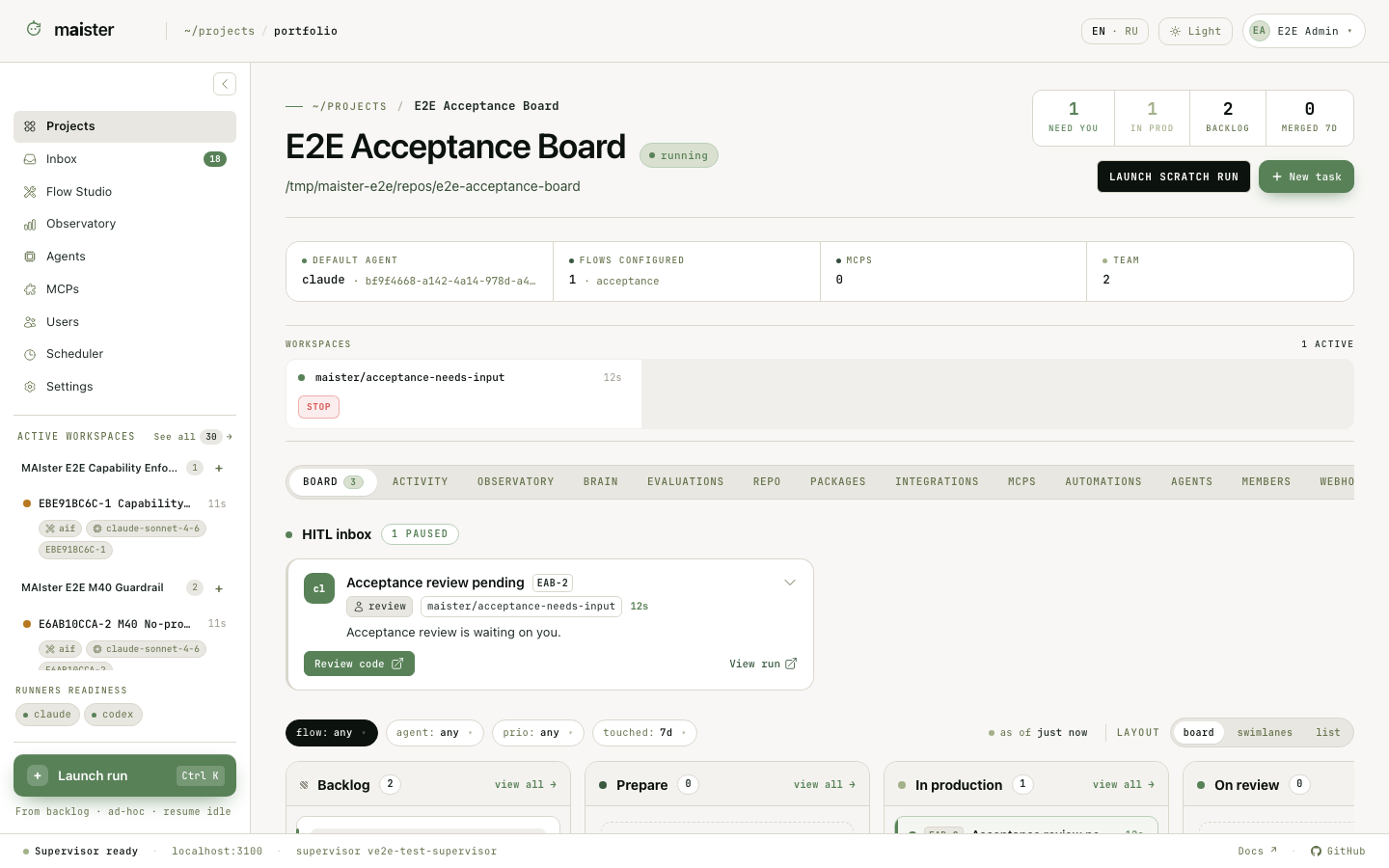 The sample data in screenshots is illustrative. The available navigation items
depend on your global role and project permissions.
The sample data in screenshots is illustrative. The available navigation items
depend on your global role and project permissions.
Primary navigation
Start from Desk, Work, or Activity
Desk (/) brings together work in flight, held decisions, and recent
activity. Its five stage tiles filter the work table in place. Expand a row to
answer an eligible HITL request, recover a crashed Run, inspect recent events,
or follow the link to review. Promotion takes place on the Run page.
Work (/work) lists tasks across your visible projects, including tasks
that have never run. Filter and group by project, stage, or who is waiting on
you. Rows link to the task, Run, or blocker that owns the next action. Filters
are shareable URLs; named saved views stay in the current browser.
Activity (/activity) shows what changed chronologically. Reading activity
and marking it read do not resolve an Inbox decision. Needs you counts
outstanding decisions; Updates tracks unread activity. Browser push
notifications can be enabled from Account on supported browsers with permission.
Administrators land on Desk after sign-in; members and viewers land on Work.
Both surfaces retain project access boundaries. The Projects portfolio remains
available at /projects.
Your personal librarian
The top-nav Librarian opens beside your current page and keeps one personal conversation across navigation. Attach page context explicitly, inspect linked work and operation results, and manage your own memory. Its indicator shows a running response, unread reply, or decision to make; the normal attention counters remain separate. An administrator must enable it and select an eligible runner. Start with the librarian guide.The main working surfaces
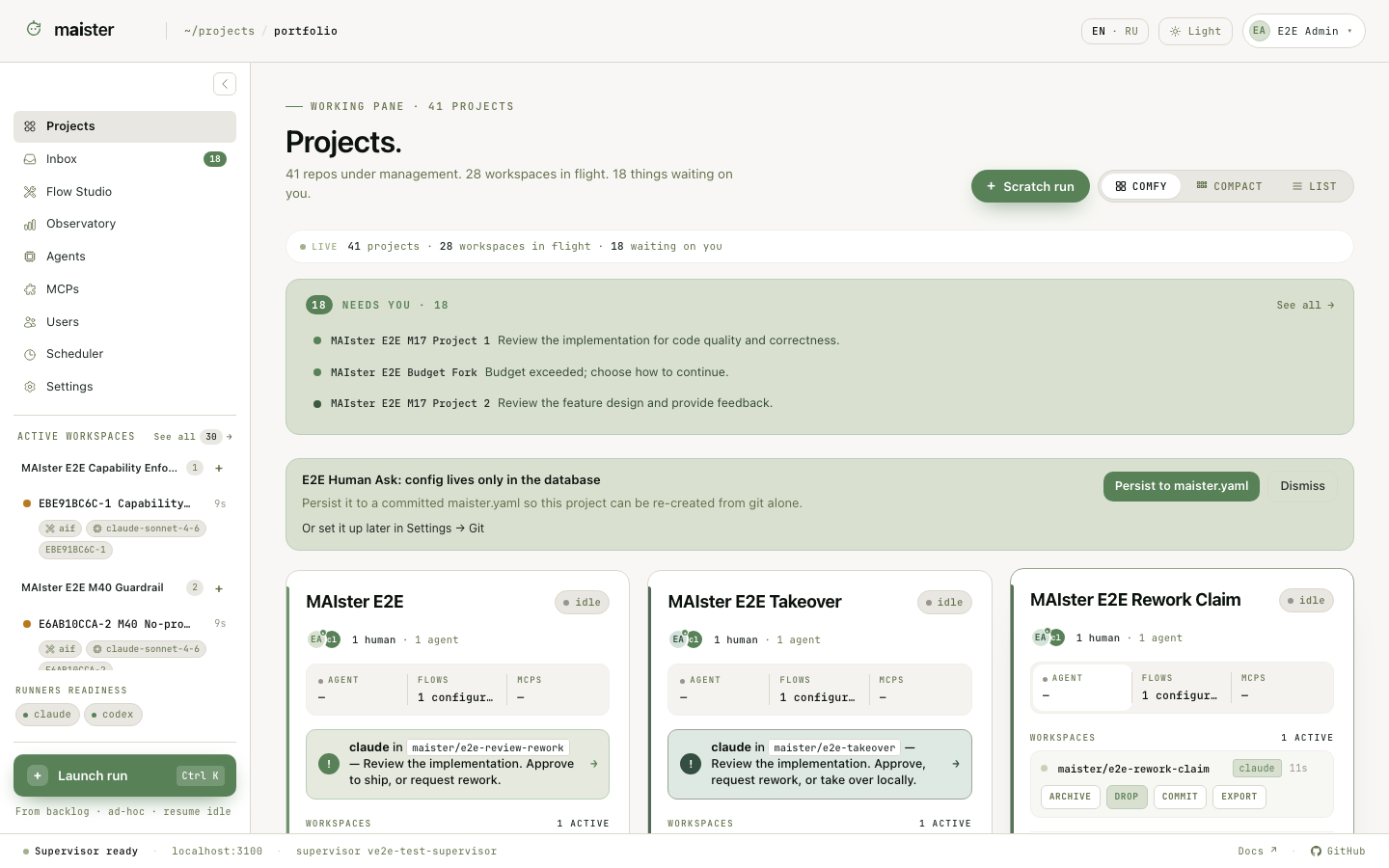 The portfolio answers where is work happening? A project workspace answers
what should happen next in this repository? The Inbox answers what needs
my decision? A Run answers what exactly happened during this attempt?
Start from the object you already have:
The portfolio answers where is work happening? A project workspace answers
what should happen next in this repository? The Inbox answers what needs
my decision? A Run answers what exactly happened during this attempt?
Start from the object you already have:
- A repository: register a project, then open its project workspace.
- A feature request or bug report: create a task from the board.
- A process to change: open Flow Studio.
- Several competing implementations: create a comparison Study.
- An alert or request from an agent: open the Inbox, then follow the link to the task or Run that owns it.
Roles at a glance
Global roles control installation-wide surfaces. Project roles control work in one repository.
A global administrator has owner-equivalent access to every project. Hidden
navigation is only a convenience; every server operation checks permissions
again.
Success and failure signals
You are in the right surface when the page identifies the project, task, Run, or package you intend to change. Stop and verify context when:- a project or admin tab is absent, which usually means the current account lacks the required role;
- a mutation is disabled with a readiness, trust, or compatibility reason;
- an object is visible but cannot be launched, which preserves history without treating old configuration as executable.
Next steps
- Learn the project workspace.
- Follow a task through the board and Run workbench.
- Configure the installation from the runner, access, and MCP guides.