

Prerequisites
- Global
adminaccess for the scheduler screen. - A trusted package that ships
maister-agents/*.mddefinitions. - Project
adminorowneraccess to attach and configure an agent.
Enable scheduler ticks
Production deployments should call the authenticated scheduler endpoint from an external cron service. Set a server-only secret on the web process:GET or POST /api/cron/tick with either
X-Maister-Cron-Token: <token> or Authorization: Bearer <token>. An empty
MAISTER_CRON_TOKEN disables the endpoint with 503.
For a single-host installation, MAIster can run an in-process fallback timer:
Inspect the scheduler
Open Scheduler as a global administrator. The page shows job kind, target, cadence, next run, enabled state, failure count, last attempt, one-time launch diagnostics, task schedules, and workspace-reconciliation findings. The shared clock drives system sweeps, task schedules, webhook delivery, domain events, auto-launch, auto-promotion, repository and pull-request scans, Evaluation Lab dispatch, and platform-agent schedules. System-managed jobs can be inspected and paused where the UI permits; project schedule edits remain in Project → Automations.Attach a platform agent
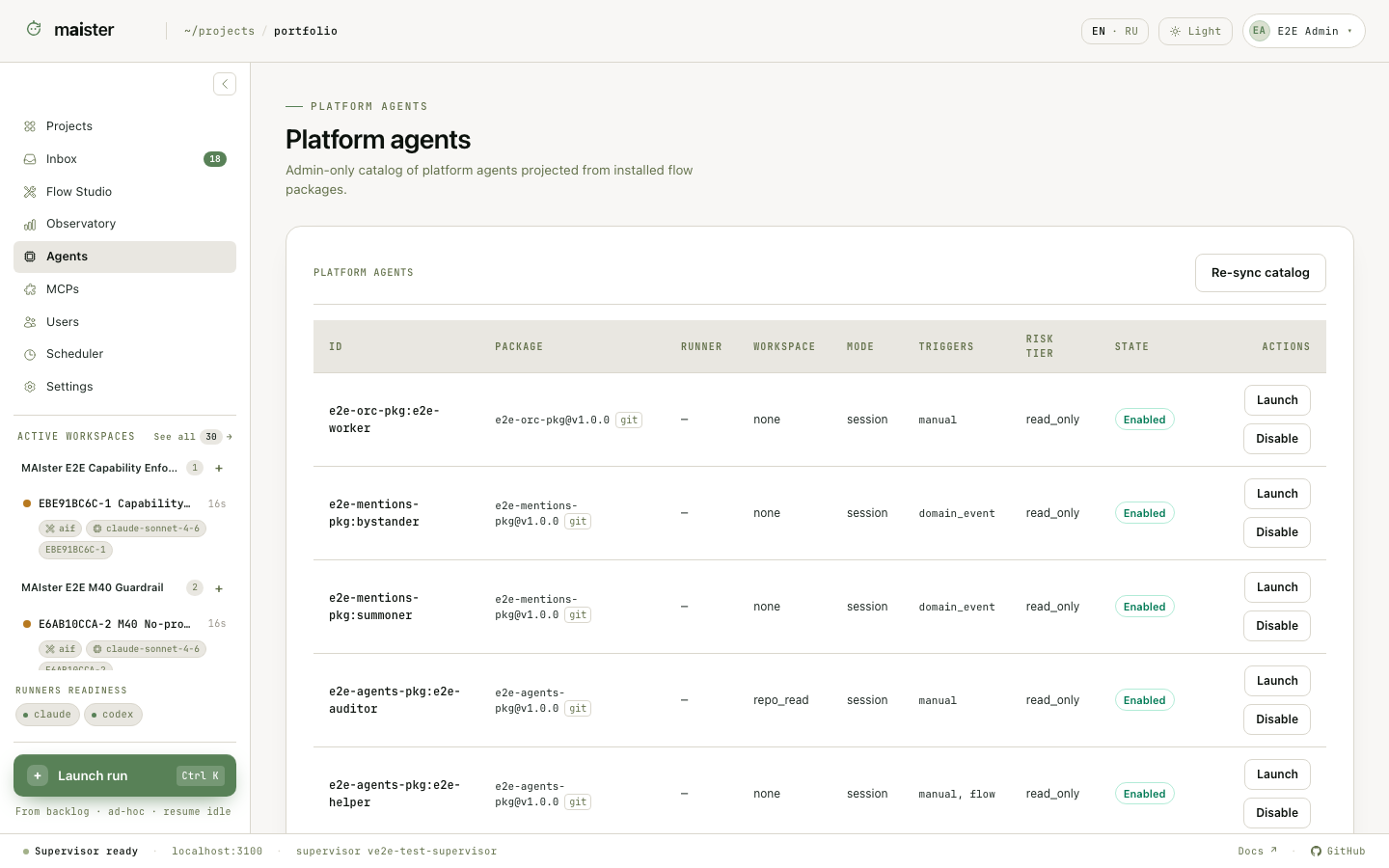
- Attach and trust the package that contains the agent.
- Open Project → Agents.
- Attach the agent and review its package, risk tier, workspace mode, and recommended configuration.
- Select a runner override when the package default is not appropriate.
- Grant Brain read or write access only when the agent needs it.
- Configure triggers and execution policy.
- Enable the attachment, then launch it manually once before enabling recurring or event-driven work.
Trigger types
All trigger paths converge on the same launch gate: the package must be attached
and trusted, the catalog and project attachment must be enabled, the definition
must be valid, the runner must be ready, and budgets must admit the work.
Built-in agent examples
Repository and pull-request monitoring is scheduler-owned. When a pull request
has a merge conflict, the scheduler starts a separate ACP resolver session. It
is not a permanently running hidden agent; its work appears as a bounded,
auditable execution.
Project Automations
Project → Automations combines three read models without hiding their different owners:- one-time task launch intents;
- recurring task schedules;
- effective platform-agent trigger bindings.
Failure signals
- No ticks: confirm
MAISTER_CRON_TOKEN, timer or external cron, and the last Scheduler attempt. - Repeated failures: inspect the typed job target and safe error code; the job may disable after its configured threshold.
- Agent unavailable: verify attached + trusted + enabled package state, runner readiness, workspace compatibility, and trigger declaration.
- Event loop suppressed: MAIster skips self-triggering events and applies agent chain-depth limits to prevent ping-pong automation.