

Prerequisites
- A registered project with at least one attached, trusted, launchable Flow.
- Project
memberaccess to create or launch work. Viewers can inspect it.
Read the board
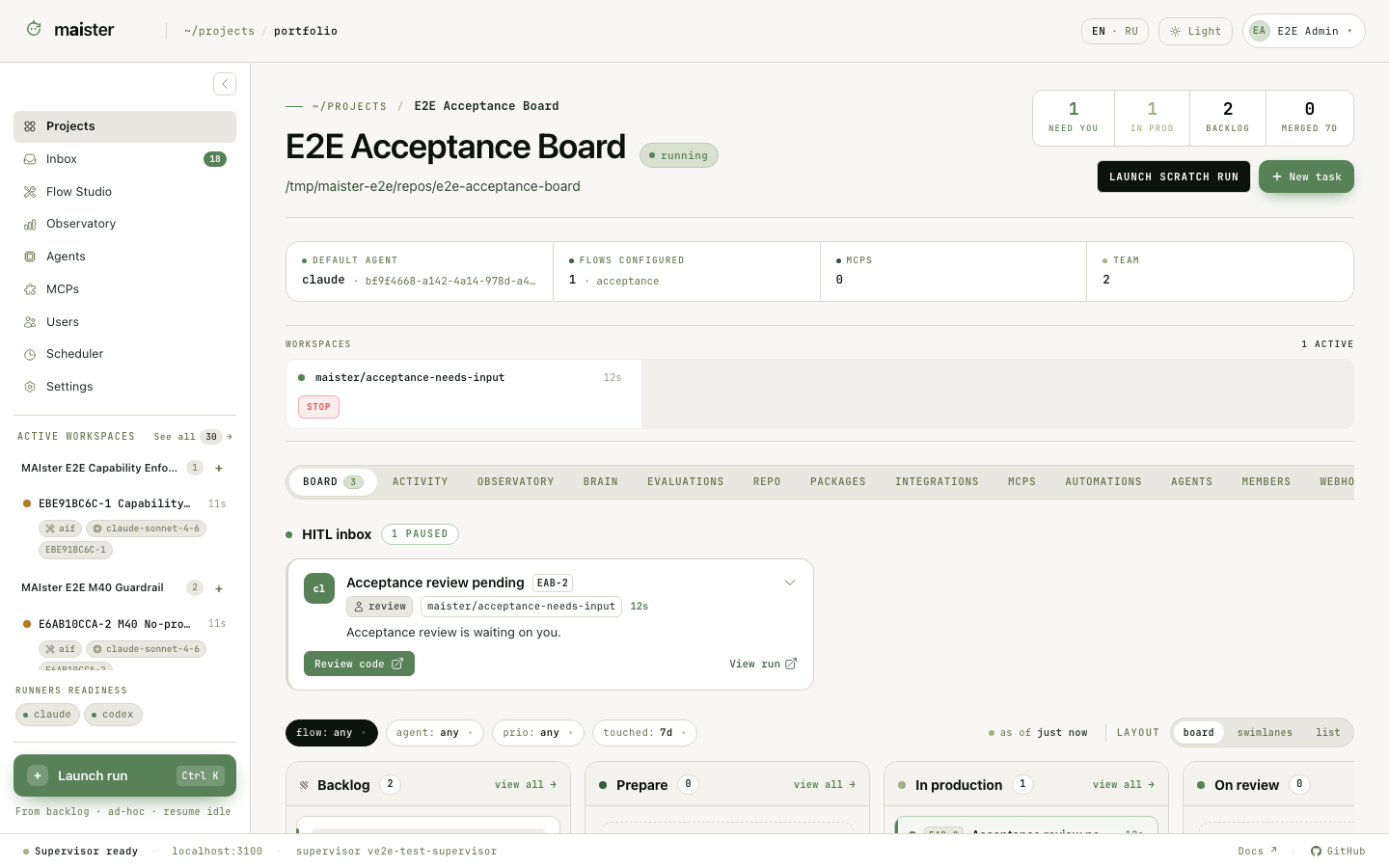 Use the board to answer four questions:
- What is waiting in the backlog or scheduler queue?
- What is running now?
- Which task is waiting for a person, evidence review, or promotion?
- Which relations prevent a task from starting?
Create and configure a task
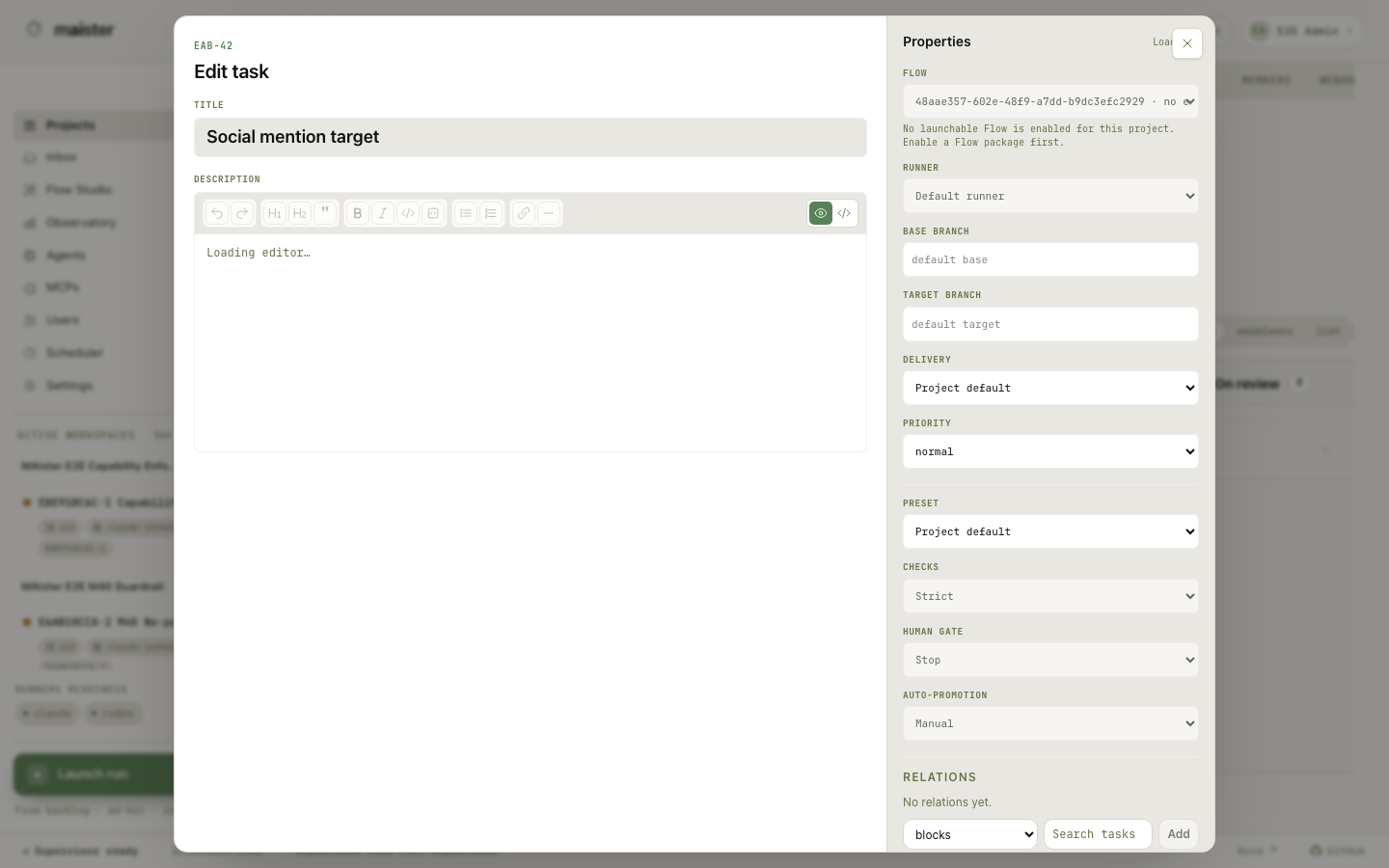 A task starts with a title and outcome-oriented prompt. You can also set or
inherit:
A task starts with a title and outcome-oriented prompt. You can also set or
inherit:
- Flow;
- runner or Flow-session bindings;
- base and target branches;
- promotion mode;
- execution policy;
- relations to other tasks.
Relations
Relations can cross projects when the caller has access to both sides. The
board displays blockers rather than bypassing them.
Clarify before launch
The personal librarian can create a structured task statement and ask an addressed teammate a question while the task is in Backlog. State the recipient, question, answer format, and whether it blocks launch. The recipient must be an active project member with permission to answer. The request appears on the task and in that person’s Inbox and decisions queue. Open it and answer as the named recipient. Text, choice, and yes/no formats are supported. An open blocking request showsclarification_pending and prevents
launch; the task keeps its existing status. Non-blocking questions do not hold
launch.
The answer remains on the task and becomes context for subsequent execution.
Answering does not itself accept a revised statement or launch a Run. When a
request is cancelled or replaced, inspect the recorded reason; a corrected
question supersedes the previous record rather than overwriting its answer.
Requests are also cancelled if the recipient loses the required access or the
task is abandoned.
Several Runs for one task
A task keeps its full Run history. Launching again creates another immutable attempt; it does not overwrite the previous runner, Flow revision, evidence, cost, or decisions. This supports retries, an alternative implementation, or a controlled comparison across runners, models, and Flows. Use the task page for history and discussion. Use an Evaluation Study when the choice should be made from frozen evidence, objective checks, judges, and a recorded human verdict. Run history and the Run workspace explains the global ledger and every region of one Run page.Follow a Run
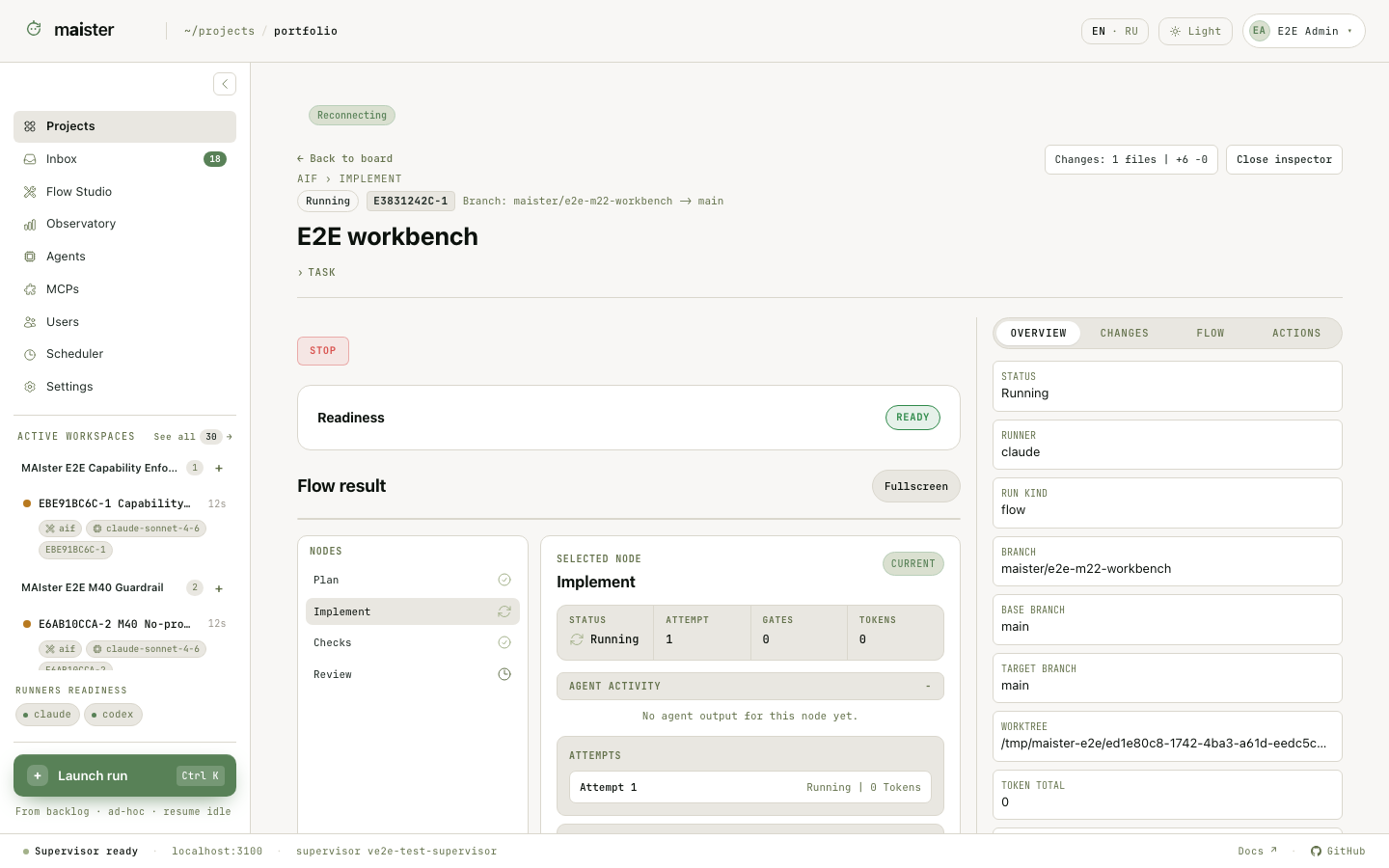 The Run workbench brings together:
- pinned Flow and package revision;
- current node, graph, and transitions;
- ACP sessions and resolved runner snapshots;
- node attempts, retries, rework, and timeline events;
- human-in-the-loop requests and assignments;
- structured results and produced evidence;
- logs, diff, review comments, readiness, and promotion;
- token totals, elapsed time, and budget actions.
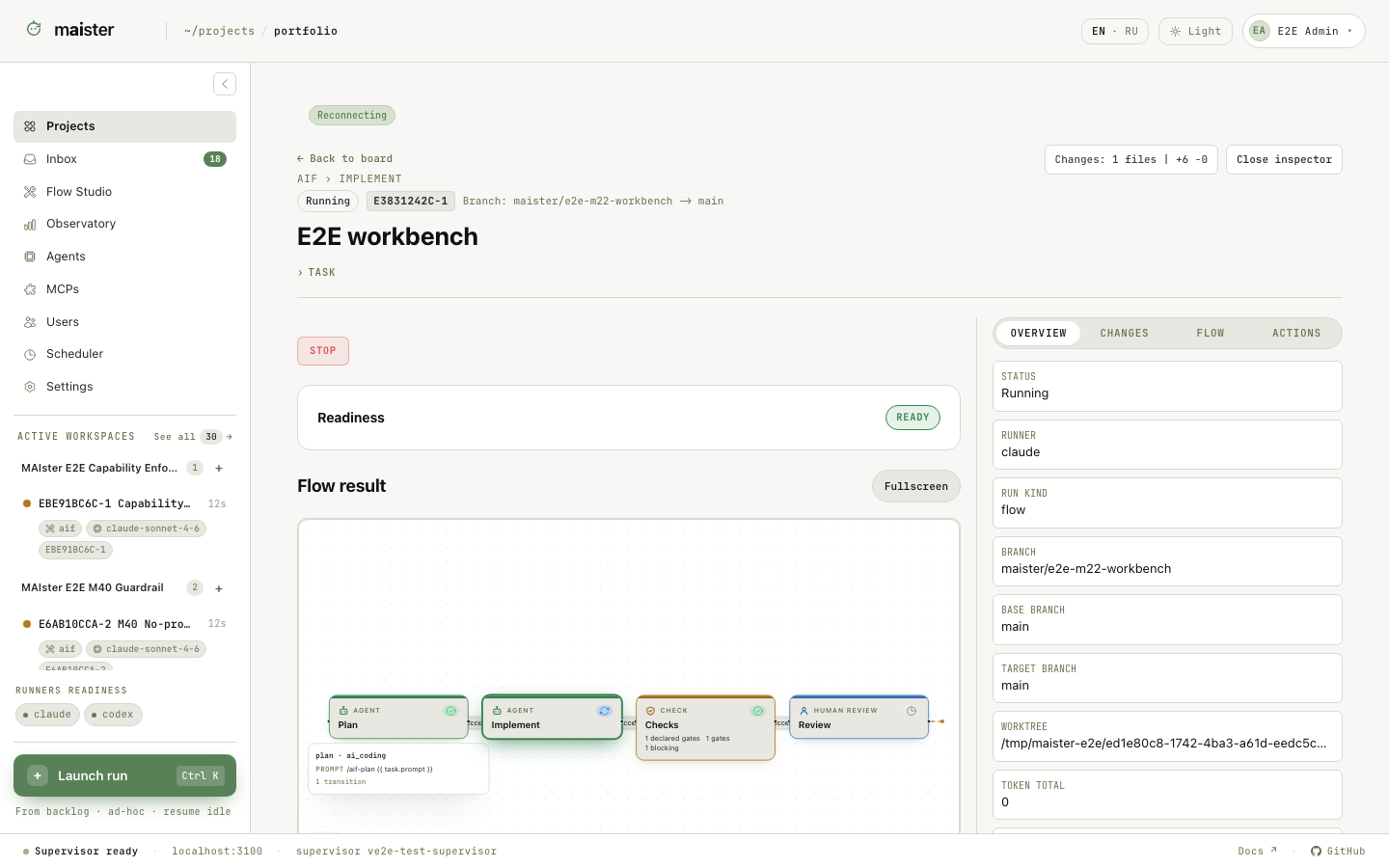 Open a node to distinguish its latest attempt from stale or superseded history.
After rework or a human takeover, downstream attempts, gates, and evidence become
stale until the Flow executes them again.
Open a node to distinguish its latest attempt from stale or superseded history.
After rework or a human takeover, downstream attempts, gates, and evidence become
stale until the Flow executes them again.
Queue and admission
Submitting work does not guarantee immediate execution. MAIster admits Runs under concurrency limits and keeps excess work Pending. Flow Runs and standalone platform-agent Runs have separate capacity pools. Scheduled launches first create durable intents; the scheduler turns an eligible intent into a Run. Check the board and Run status before treating a delay as a runner problem. A Pending item may be waiting for capacity, a scheduled time, an unmet relation, or another admission prerequisite.Success and failure signals
- Running means the Flow owns execution and may still ask for input.
- Needs input means a response is pending. A host-pressure pause is identified separately and can resume automatically after host recovery.
- Human working means a named person has claimed the worktree.
- Review means execution finished and the result awaits acceptance or promotion.
- Done means the governed completion path finished.
- Failed, Crashed, or Abandoned preserve attempts and diagnostics; they do not erase the task or its other Runs.