

Open the assistant
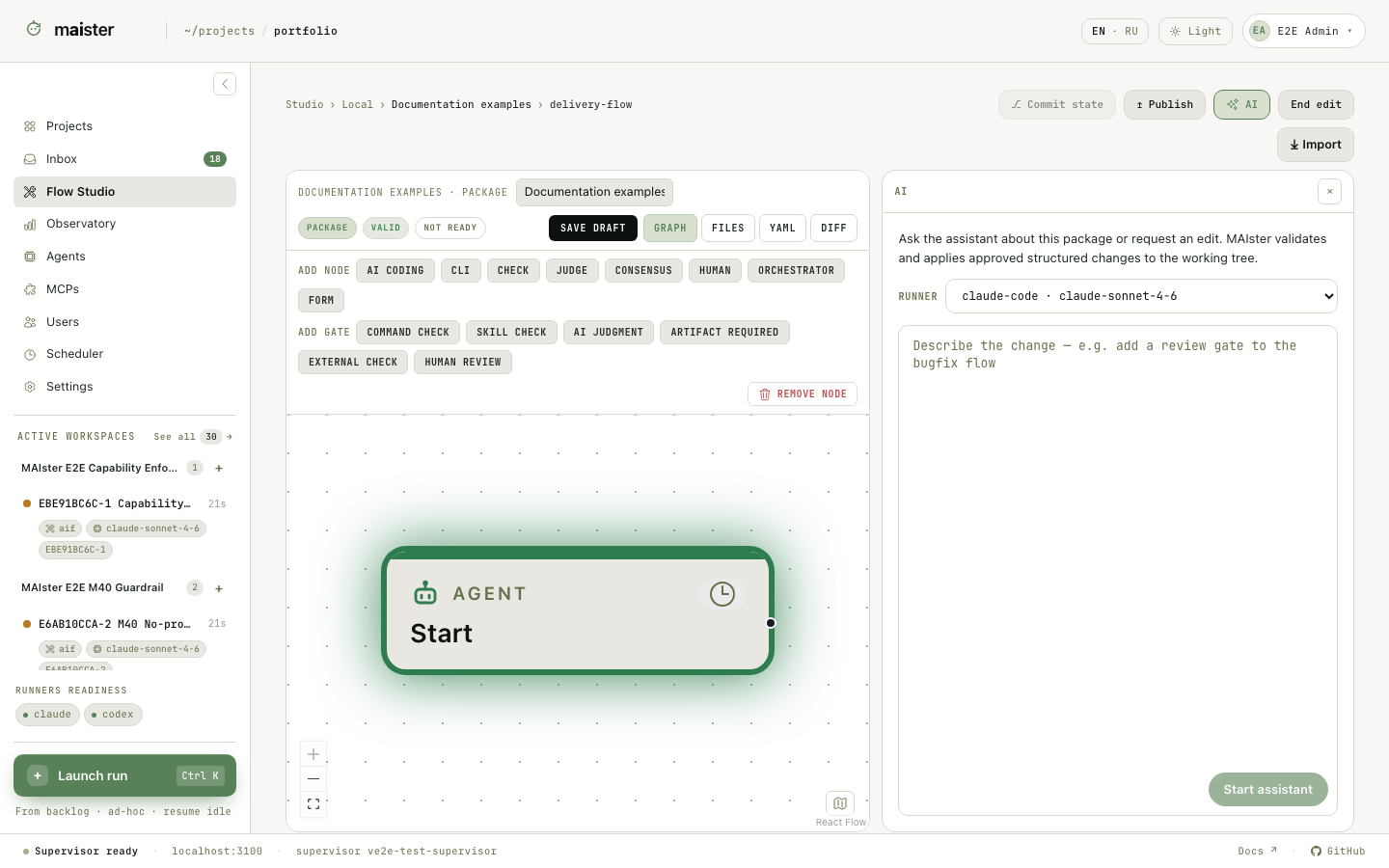
- Open Flow Studio → Local packages. Create a package or use Fork to edit on an installed package.
- Open a Flow file at
flows/<flow-id>/flow.yaml. The package home and a read-only installed package do not show the Flow assistant. - Wait until the editor holds the package edit lock.
- Click AI with the sparkles icon in the editor toolbar. The right-hand properties area changes to the assistant drawer. Click the same control or the close icon to return to node properties.
- Select a Ready ACP runner, enter a focused request, and start the turn.
What the assistant receives
MAIster builds the context on the server from the current package inventory, file hashes, selected Flow graph, and editor focus. Unsaved editor changes are flushed before the turn starts. The ACP session reads the package through a restricted workspace. For a proposed edit, the assistant returns a structured action with file paths, base hashes, and replacement content. MAIster checks the edit lock, paths, hashes, YAML, frontmatter, schemas, and compiled graph before writing all files as one action. During an assistant turn the human editor becomes read-only. This prevents two writers from changing the same draft. A stale base hash rejects the action and keeps the newer human edit.Useful requests
- “Add a review node after
verifyand route rework toimplement.” - “Create a structured result schema for the planning node and expose it to the next node.”
- “Explain why this Flow fails validation without changing files.”
- “Move the low-cost runner to implementation while keeping the stronger model for planning and judgment.”